 Custom Mailer Boxes
 Custom Shipping Boxes
 Custom Cardboard Boxes
 Custom Kraft Boxes
 Custom Product Boxes
 Custom Retail Boxes
 Custom Tuck End Boxes
 Custom Pillow Boxes
 Custom Window Boxes
 Custom Rigid Boxes
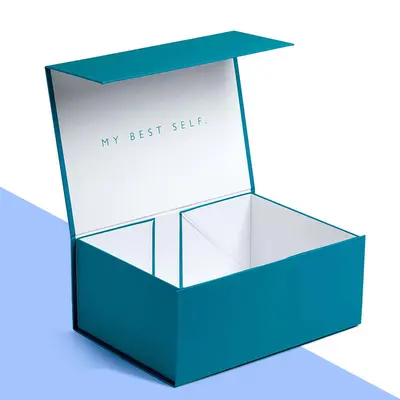 Custom Gift Boxes
 Custom Magnetic Boxes
 Custom Sleeve Boxes
 Custom Printed Boxes
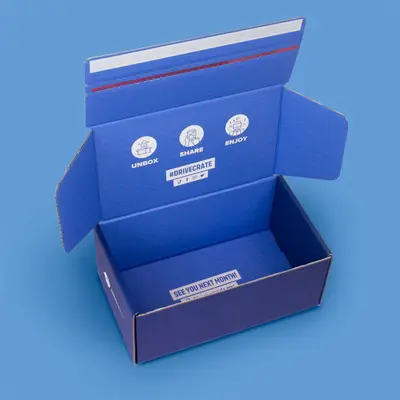 Custom Boxes with Logo
 Custom Box Inserts


Custom Computer Mouse Boxes
Custom computer mouse boxes are compact retail cartons, often with a window, that hold a gaming or office mouse in a fitted insert alongside its cable, receiver and paperwork. They protect the product in transit and sell it on the shelf or in an unboxing video.
- Design proofFree, approved by you before printing
- PriceCustom quote by email within one working day
- Production4–7 working days after proof approval
- DeliveryFree and tracked, UK mainland, 2–3 working days
- Misprints or damageReported within 10 days, reprinted or refunded
A Small Box With a Lot to Do
A mouse is light, but it is not simple to pack. The shell scratches easily, the scroll wheel and side buttons stick out, cables need coiling and a wireless receiver is small enough to get lost. The box has to hold all of that still, show the product off, carry technical details and survive being dropped into a courier bag. Buyers also expect a certain quality: a mouse sold for serious gaming or design work should not arrive in a flimsy carton.
Peripheral brands, from start-ups to established names, use custom boxes to make their mice feel premium and distinct. A well-designed box helps a new brand sit comfortably beside big names on a retail shelf, and it gives online buyers a satisfying first impression when they open the parcel.
The box is also a support document. Model number, compatibility and what is included all live on the packaging, and a clear layout cuts down on returns from customers who bought the wrong version. The same compatibility layout is used on our charger boxes for small electronics.
Box Styles for Gaming and Office Mice
Office and budget mice usually come in a tuck end carton with a window on the front, so shoppers can see the shape and colour. A hanging tab on top lets the box hang on a peg in electronics stores. Gaming mice often step up to a two-piece rigid box or a sleeve over an inner tray, which gives a heavier, more premium feel and a better unboxing moment.
Magnetic flap boxes with a window behind the flap are popular for flagship models: the front cover lifts to reveal the mouse under clear film, with feature callouts printed on the inside of the flap. Mailer-style boxes in E-flute suit brands that sell direct online and want a box that doubles as the shipping carton.
- Tuck end window cartons with hanging tabs
- Sleeve and tray boxes for gaming mice
- Rigid lid and base boxes for flagship models
- Magnetic flap boxes with display windows
- E-flute mailer boxes for direct sales
Often ordered by
- PC peripheral brands
- Gaming accessory start-ups
- Ergonomic product companies
- Electronics retailers' own brands
- Corporate tech gift suppliers
- Crowdfunded hardware projects
Popular Computer Mouse Boxes Sizes
Sizes are in mm. Every order is cut to your size, so any size between these rows is fine.
| Size | Often used for |
|---|---|
| Compact office mouse 120 x 80 x 50 mm | Small wired or wireless office mice |
| Standard mouse 150 x 100 x 60 mm | Full-size office and ergonomic mice |
| Gaming mouse 180 x 120 x 70 mm | Gaming mice with cable and accessories |
| Vertical mouse 150 x 110 x 100 mm | Tall ergonomic vertical mice |
| Mouse and pad bundle 300 x 250 x 60 mm | Mouse with a rolled or flat mouse pad |
Not sure of the size? Send the product measurements and we work out the rest.
Styles
- Tuck end window cartons
- Sleeve and tray
- Rigid lid and base
- Magnetic flap with window
- E-flute mailer boxes
Materials
- Folding board
- Rigid greyboard with wrap
- E-flute corrugated
- Card, pulp or foam inserts
- Full colour CMYK
- Spot and metallic inks
- Printed inside flap
Finishes
- Matt or gloss lamination
- Soft-touch
- Spot gloss
- Foil blocking
- Emboss
Extras
- Clear window film
- Hanging tabs
- Receiver slots
- Cable compartments
- Barcode panels
See the board and finish guide for what each option looks like.
Production and Delivery
Production takes 4–7 working days after you approve the free design proof. Delivery to the UK mainland is free and tracked, and arrives in 2–3 working days once the order leaves production. The tracking link comes to you by email.
Reprints and Refunds
Check the order when it arrives. If anything is misprinted or damaged, report it within 10 days with a photo and we reprint or refund the items affected. Read the full returns and reprints policy.
Need it by a date?
Tell us the date with your sizes and we plan the proof and production around it.
Computer Mouse Boxes Specification
| Style | Tuck end window cartons, Sleeve and tray, Rigid lid and base, Magnetic flap with window, E-flute mailer boxes |
|---|---|
| Material | Folding board, Rigid greyboard with wrap, E-flute corrugated, Card, pulp or foam inserts |
| Full colour CMYK, Spot and metallic inks, Printed inside flap | |
| Finish | Matt or gloss lamination, Soft-touch, Spot gloss, Foil blocking, Emboss |
| Extras | Clear window film, Hanging tabs, Receiver slots, Cable compartments, Barcode panels |
| Size | Made to your size in mm |
| Minimum order | Low, quoted per job |
| Price | From £0.25 a box; custom quote by email within one working day |
| Proof | Free design proof before printing |
| Production | 4–7 working days after proof approval |
| Delivery | Free tracked UK mainland delivery, 2–3 working days |
Inserts That Hold Every Part
The insert is what keeps the mouse safe. A card insert cut to the outline of the mouse holds it firmly at an angle that shows off its shape through the window. A separate compartment beneath or behind holds the coiled cable, a slot keeps the wireless receiver from rattling around, and a flat area at the back takes the quick start guide and warranty card.
Moulded pulp or foam inserts are options for heavier gaming mice with weights or interchangeable parts. Whatever the material, the insert should hold the mouse without pressing on the buttons or scroll wheel, which can be damaged if squeezed in transit.
Think about the order in which the customer meets each part. Most people want the mouse first, so it should sit on top and lift out easily, ideally with a small finger notch or ribbon. The cable, receiver and spare feet can wait underneath, and the paperwork goes last. A logical layout makes the product feel well engineered before it is even switched on. Headset bundles with more parts use a deeper tray, as on the headphone boxes with fitted trays.
Window Placement and Film
A window lets the product sell itself, especially for gaming mice with distinctive shapes and lighting. Placing the window so it frames the side profile or top shell, rather than the underside, shows the design at its best. Shaped windows that follow the mouse outline make a strong visual statement.
Clear film is fixed behind the window opening during production. For retail boxes that will be handled a lot, a slightly thicker film resists scratches and stays flat. Brands that prefer a cleaner look can skip the window and use a large product photograph instead.
If your mouse has lighting, consider a short line on the window surround explaining the lighting modes, since the effect cannot be seen in the box. A small printed image of the mouse lit up, placed beside the window, gives shoppers the full picture. Window shapes and film options are explained on the window boxes with clear film page.
Printing Computer Mouse Boxes for Retail
The front should carry the brand, the model name and the key selling point, such as wireless, lightweight or high precision. The back is where buyers compare: sensor details, button count, connection type, compatibility and what is in the box. Side panels can show the model, colour variant and a barcode.
Dark backgrounds with bright accent colours are common for gaming brands; clean white designs suit office and ergonomic ranges. Spot gloss, metallic inks or foil on the logo add a premium finish, and matt soft-touch lamination feels good in the hand.
Keep icons consistent across your range so buyers can compare models at a glance on a crowded shelf.
- Model name and key feature on the front
- Specification panel and compatibility on the back
- Barcode and colour variant on the sides
- Foil, spot gloss or metallic ink highlights
Measuring a Mouse for Packaging
Measure the mouse length, width and height at the widest points, then add the cable coil, receiver and paperwork. Decide whether the mouse sits flat or tilted in the insert, as a tilted mouse needs a deeper box but looks better through a window. Share the weight too, so we choose a board that will not bow.
If you sell several models or colours, a shared box size with different printed designs keeps stock and inserts simple. Colour variants can often share one design with a coloured sticker or a printed swatch on the side panel.
Shipping matters even for a retail box. If your mice go to distributors, ask for an outer carton sized to hold a set number of retail boxes snugly. That protects the printed boxes from scuffs and makes stock counts easy at the warehouse. Our measuring guide for custom boxes covers how to allow for a coiled cable.
Photograph the Mouse in Its Insert Before You Measure
The accessory count on a mouse decides the box, so lay everything out first: the mouse, its cable coiled as it will ship, the receiver, spare feet and the leaflet. Photograph that layout from above and measure the footprint and the tallest point, usually the arch of the mouse. A cable coiled too tightly springs open in transit, so allow a coil of at least 60 mm across. Tell us whether the mouse is wired or wireless and which lighting modes it has, because that changes whether a window is worth having.
Send the measurements, the box style, the window preference and a quantity, and a custom quote arrives by email within one working day, with folding cartons from £0.25 and minimums quoted per job, which suits a crowdfunded launch. The free proof shows the dieline, window and insert layout together. Production takes 4 to 7 working days after approval and free tracked UK mainland delivery follows in 2 to 3 working days; misprinted or damaged boxes are reprinted or refunded if reported within 10 days. Brands that bundle a mouse and keyboard usually match the artwork to their keyboard boxes in the same print.
Design Your Computer Mouse Box
Choose the computer mouse boxes photo closest to what you have in mind, add your logo, drag it into place and set the size. Send it with your sizes and we reply with a custom quote and a free design proof.

Drag the logo, or select it and use the arrow keys (Shift moves faster, + and − resize).
Related Products
Other packaging that is often ordered alongside computer mouse boxes.

Custom Keyboard Boxes
Custom keyboard boxes are long, flat cartons made to hold a keyboard snugly, with room for a mouse, cable, keycap puller or…

Custom Headphone Boxes
Custom headphone boxes hold over-ear, on-ear and gaming headsets in a moulded or die-cut insert shaped around the headband and…
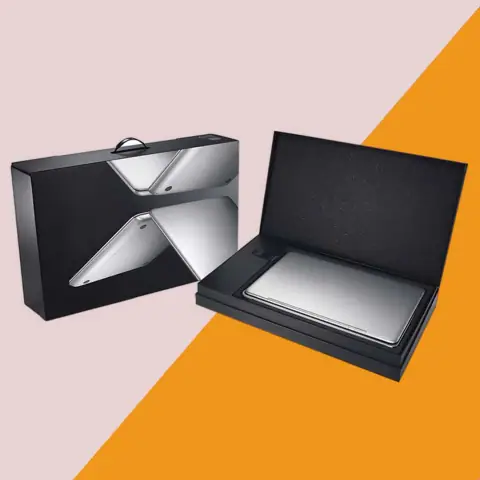
Custom Laptop Boxes
Custom laptop boxes are corrugated mailer-style cartons with fitted inserts that cradle a notebook computer and keep its…
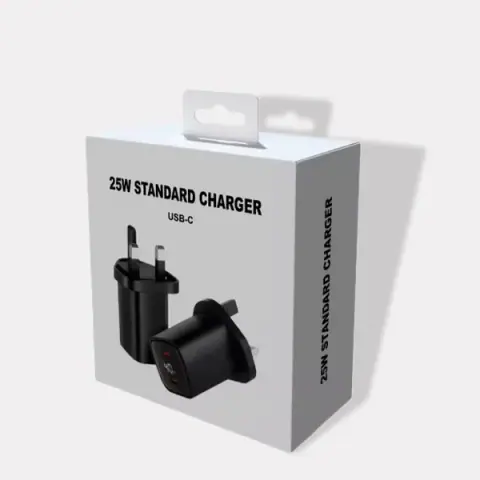
Custom Charger Boxes
Custom charger boxes are slim cartons and hang-tab packs that hold plugs, cables, wireless pads and power adaptors securely,…
Computer Mouse Boxes Questions
What buyers ask before ordering computer mouse boxes.
Should my mouse box have a window?
A window helps in shops, where buyers want to see the shape and colour. For online-only sales, a strong product photograph may serve just as well and keeps the box simpler.
How does the insert protect the buttons?
The insert holds the mouse by its body, with clearance around the scroll wheel and buttons. This stops anything pressing on them during transit.
Where does the wireless receiver go?
We add a small slot or pocket in the insert so the receiver cannot rattle around or get lost. It is usually placed beside or under the mouse.
Can a mouse box hang on a peg and also stand on a shelf?
Yes. A euro-slot hanging tab on the top flap of a tuck end carton folds flat when the box stands on a shelf and pops up for a peg. The tab is drawn on the proof so you can check it clears the window.
Which box suits a premium gaming mouse?
A rigid lid and base or a magnetic flap box gives a premium feel and a better unboxing moment. Foil and soft-touch finishes add to the effect.
Can a wired and a wireless version of the same mouse share one box?
Usually, as the mouse body is the same and only the receiver and cable differ. One box with two insert layouts, or two printed designs on the same dieline, keeps stock simple while the back panel lists what each version includes.
What details should the back panel include?
Connection type, sensor and button details, compatibility, what is in the box and a barcode. Retail buyers check these before deciding.
Are mailer boxes better for online sales?
E-flute mailer boxes protect the mouse in the post and can be fully printed, so they act as both retail and shipping box.
Can you make a box for a mouse and pad bundle?
Yes, a wider flat box can hold a mouse in an insert with the pad laid underneath or rolled beside it.
How quickly can boxes be ready for a launch?
Production is 4–7 working days after proof approval, then 2–3 working days for free tracked UK mainland delivery. Allow time for packing before your launch date.
What if the window film on the mouse boxes arrives scratched?
Film scratches show badly on a product that is sold on looks, so check a few boxes from each bundle. Send photos within 10 days of delivery and the affected boxes are reprinted or refunded.
Get a Price for Your Computer Mouse Boxes
Fill in as much as you know. Sizes are in mm (internal sizes for boxes). If you have artwork, attach it; if not, a logo is enough to start the proof.
We reply with a custom quote by email within one working day, then send a free design proof before anything is printed.
- Phone+44 7578 382054
- WhatsAppMessage us
- Emailinfo@shopcustomboxes.co.uk
- HoursMonday to Friday, 9 am to 5.30 pm UK time
- OfficeOffice 704, 85 Dunstall Hill, Wolverhampton, WV6 0SR